Block Cipher Tool V1.0.0.1 Free Download for Windows 2027
Are Samsung FRP issues, firmware errors, or Android servicing tasks slowing down your repair work? Block Cipher Tool combines Samsung, MediaTek, Qualcomm, Exynos, and UNISOC support with ADB, Fastboot, MTP, KnoxGuard, MDM, and firmware tools in a lightweight Windows utility.
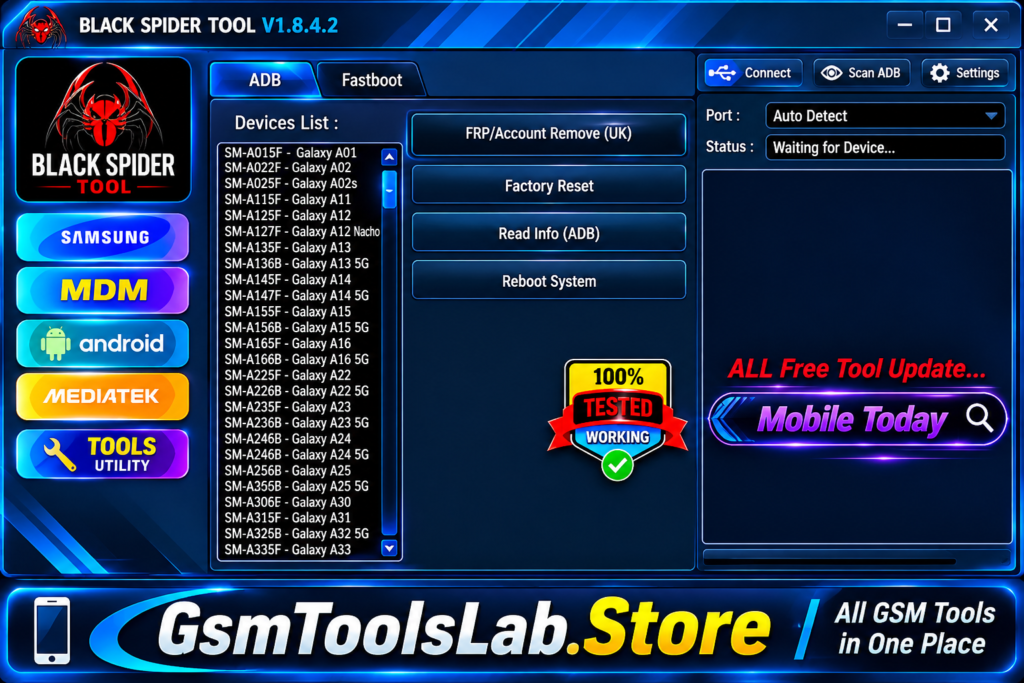
What is Block Cipher Tool?
Block Cipher Tool is a Windows Android servicing utility designed mainly for mobile repair technicians. It supports Samsung, MediaTek, Qualcomm, ADB, MTP, Fastboot, FRP, MDM, and KnoxGuard operations. Technicians can use it for device information, firmware-related tasks, software maintenance, and different Android connection modes. Recent builds also include Samsung Download Mode and Android App Manager features.
FRP Bypass
Block Cipher Tool offers FRP servicing for supported Android phones through Samsung MTP and Download Mode methods. It gives technicians a practical way to handle Factory Reset Protection during authorized device servicing.
Firmware Flashing
The tool supports firmware-related work across Samsung, MediaTek, Qualcomm, and UNISOC/SPD platforms. Depending on the phone, technicians can use scatter files, Qualcomm EDL methods, or Samsung Odin-style BL, AP, CP, and CSC firmware packages.
Factory Reset
Block Cipher Tool provides factory reset options through supported ADB and Fastboot modes. These functions can help technicians return compatible Android devices to their default software state during repair and maintenance work.
Bootloader Unlock
The software includes bootloader unlock and relock functions for supported Android devices, mainly through Fastboot and MediaTek service methods. Unlocking the bootloader can erase user data and also depends on the device security settings and OEM unlock status.
Mi Account Reset
For selected Xiaomi devices, Block Cipher Tool provides MiCloud or Mi Account-related servicing through supported MediaTek functions. Compatibility is not universal and can depend on the model, chipset, Android version, and security patch.
Partition Read/Write
The software includes MediaTek partition tools for supported devices, including GPT and partition read/write operations. These functions are useful when technicians need to inspect firmware structure or perform low-level software maintenance.
Device Info Extraction
Block Cipher Tool can read available device information through ADB and Fastboot connections. This helps technicians identify the connected phone and check basic details before starting flashing or other repair procedures.
Fastboot Operations
The Fastboot section provides utilities for reading device information, switching between Normal, Bootloader, and Recovery modes, managing available slots, and performing supported Android servicing tasks through Fastboot connections.
What’s New in Block Cipher Tool V1.0.0.1?
- Improved Samsung Services
- Updated KnoxGuard Support
- Expanded ADB Tools
- Enhanced MediaTek Services
- New Android App Manager
- Updated MDM Functions
- More Samsung Download Mode Support
Download Information
| Information | Details |
|---|---|
| Tool Name | Block Cipher Tool |
| Latest Version | V1.0.0.1 |
| File Size | 8 MB (approx.) |
| Developer | Block Cipher Team |
| License | Free |
System Requirements
| Requirement | Minimum Specifications |
|---|---|
| Operating System | Windows 7, 8, 10, 11 |
| Processor | Intel or AMD Dual-Core |
| RAM | 2 GB minimum |
| Free Storage | 100 MB |
| System Type | 32-bit / 64-bit |
| USB Connection | USB 2.0 or higher |
| USB Drivers | Samsung, ADB, MTK, Qualcomm |
How to Download Block Cipher Tool?
- Open the download page and locate Block Cipher Tool V1.0.0.1.
- Click the Download button to start downloading the package.
- Wait until the download process is complete.
- If the package is in ZIP or RAR format, install WinRAR or 7-Zip.
- Right-click the downloaded archive and choose Extract Here.
- Enter the extraction password if the archive requires one.
- Open the extracted folder and find the setup file.
- Run the setup and complete the on-screen installation steps.
- Launch Block Cipher Tool.exe after installation.
Pros and Cons
| Pros | Cons |
|---|---|
| Simple interface for common Android servicing tasks. | Official documentation is limited. |
| No login or account activation is generally required. | Some functions may not support every device. |
| Supports Samsung FRP and Download Mode services. | Correct USB drivers are needed for detection. |
| Includes ADB and Fastboot utilities. | Advanced functions require technical knowledge. |
| Supports MediaTek, Qualcomm, and UNISOC services. | Compatibility varies by chipset and security patch. |
| Provides firmware and partition management options. | Incorrect flashing can cause boot or software problems. |
| Includes Android App Manager functions. | Security software may flag some executable files. |
| Supports several Android device brands. | It is not an official manufacturer utility. |
Also read: ASUS Flash Tool 3.2.10 Free Download Setup for Windows [2027]
Conclusion
Block Cipher Tool gives Android technicians a compact Windows utility for handling different servicing tasks from one interface. Its Samsung, MediaTek, Qualcomm, Exynos, and UNISOC support works alongside ADB, Fastboot, MTP, firmware flashing, FRP, KnoxGuard, and partition tools. Before using any advanced function, check the exact device model, chipset, security level, and required USB drivers.
FAQs
Is Block Cipher Tool V1.0.0.1 free to download?
Yes, Block Cipher Tool V1.0.0.1 is distributed as a free Android servicing utility for Windows users.
Does Block Cipher Tool require login?
No, the available version is advertised as a no-login utility, allowing technicians to use its functions without creating a separate account.
Which chipsets does Block Cipher Tool support?
It provides servicing options for MediaTek, Qualcomm, Samsung Exynos, and UNISOC/Spreadtrum platforms, although available functions vary by device.
Can Block Cipher Tool perform Samsung FRP operations?
Yes, the tool includes Samsung FRP servicing through supported MTP and Download Mode methods. Results depend on the device model and security version.
Does Block Cipher Tool support ADB and Fastboot?
Yes, it provides ADB and Fastboot functions for reading device information, rebooting supported devices, and handling compatible Android servicing operations.
Which USB drivers are required for Block Cipher Tool?
The required driver depends on the phone. Samsung USB Drivers, MediaTek drivers, Qualcomm drivers, or UNISOC/Spreadtrum drivers may be needed for detection.