
OpenRoot V1 Free Latest Version Download for Windows (Tested 100%)
Do you want root access on your Android phone without touching the bootloader? OpenRoot V1 is a free, open-source Windows tool that gives you temporary root through a simple one-click button. It does not unlock your bootloader and does not wipe your data. It pushes a small file to your phone over USB, and root access stays active until you restart the phone.
Also read: Block Cipher Tool V1.0.0.1 Free Download
What Is OpenRoot V1?
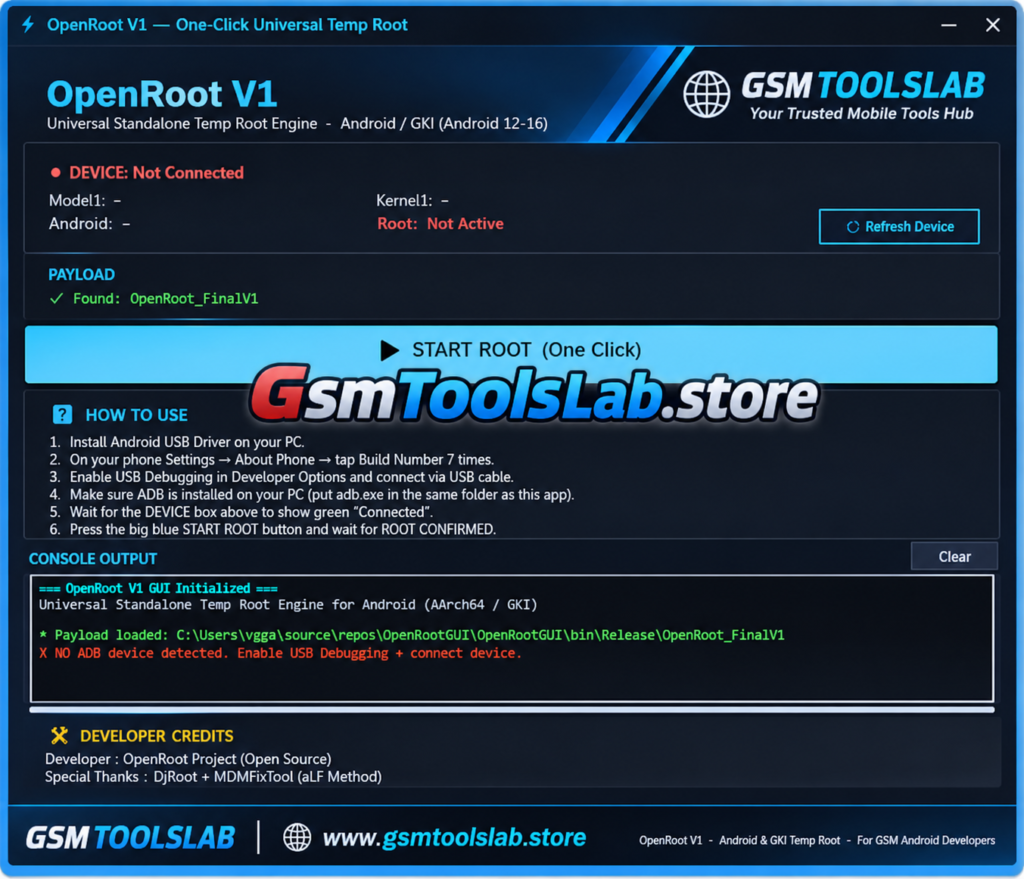
OpenRoot V1 is a free Windows program with a simple graphical interface (GUI). It gives temporary root access to Android phones without unlocking the bootloader, which is the usual first step most rooting methods demand. The tool connects to your phone through ADB, sends a small payload file to it, and activates root rights that last until the next reboot.
This makes it different from permanent rooting tools like Magisk. Magisk needs a patched boot image flashed through a locked or unlocked bootloader, and the change stays until you remove it. This tool skips that step entirely. Once you restart your phone, it goes back to its normal, non-rooted state, and your warranty seal and device data stay untouched. The tool is built and maintained by the OpenRoot Project, an open-source developer group. It credits Dfroot and MDMFixTool for the ELF delivery method used to push the payload onto the phone.
How Does OpenRoot Work?
The tool uses a kernel-level root method through KernelSU, a modern root framework that works differently from older app-based tools. Instead of granting root through an installed APK, KernelSU operates inside the kernel itself and hands out root permission directly to apps that request it. It includes built-in KernelSU modules for several kernel versions, find the correct module to your phone automatically.
Features of OpenRoot V1
One-Click Root Process
A single button runs the entire root sequence, from checking the device to confirming root, so you do not need command-line knowledge.
Automatic Device Detection
The tool detects your connected phone on its own and shows the model name, Android version, and kernel version right in the window.
Auto-Locate Payload File
The tool finds the OpenRoot payload file inside its own folder automatically, so you do not need to browse for it manually.
Built-In KernelSU Modules
It ships with KernelSU modules for several kernel targets, ready to use without a separate download.
Runtime Vermagic Adaptation
This can rewrite the module header to match your device’s real kernel string, improving compatibility across many phone models.
Wide Android and Kernel Support
The latest version works on Android 12 through Android 16, covering GKI kernel families 5.10.x, 5.15.x, 6.1.x, 6.6.x, 6.12.x, and 6.18.x.
Clean, Dark Interface
A simple dark-themed window with a custom title bar and basic minimize and close controls keeps the tool light and easy to read.
Live Console Output
Every step of the rooting process shows up in a color-coded console, so you can watch exactly what is happening in real time.
On-Device Log File
The tool writes a full log to /data/local/tmp/openroot.log on your phone, which is useful if something goes wrong and you need to check details later.
How to Download and Install OpenRoot V1
- Download the OpenRoot V1 ZIP file from a trusted source.
- Extract the archive to a folder on your PC.
- Place the OpenRoot payload file in the same folder as the tool.
- Make sure adb.exe and its DLL files sit in that same folder, or install Android Platform Tools on your PC separately.
What’s New in OpenRoot V1
- Added support for Android 16.
- Added support for Linux kernel 6.12.x and 6.18.x.
- Included more embedded KernelSU KMI modules for newer kernel strings.
- Added more precompiled adaptive LKM module targets.
- Runtime vermagic adaptation now adjusts module headers automatically to match each device’s real kernel string.
- Improved delivery through a two-pass Dfroot chain attempt for better success rates.
- Added a mutex check at
/dev/dfto stop the tool from running twice before a reboot. - Better diagnostics with filtered logcat output when a delivery attempt fails.
- A cleaner final result message at the end of every run.
System Requirements
| Requirement | Details |
|---|---|
| Operating System | Windows (any recent version) |
| Connection | USB cable and ADB drivers |
| Phone Setting | Developer Options and USB Debugging enabled |
| Extra Files | adb.exe and its DLL files, or Android Platform Tools installed |
| Storage | Small; the tool and payload files are lightweight |
Supported Brands and Devices
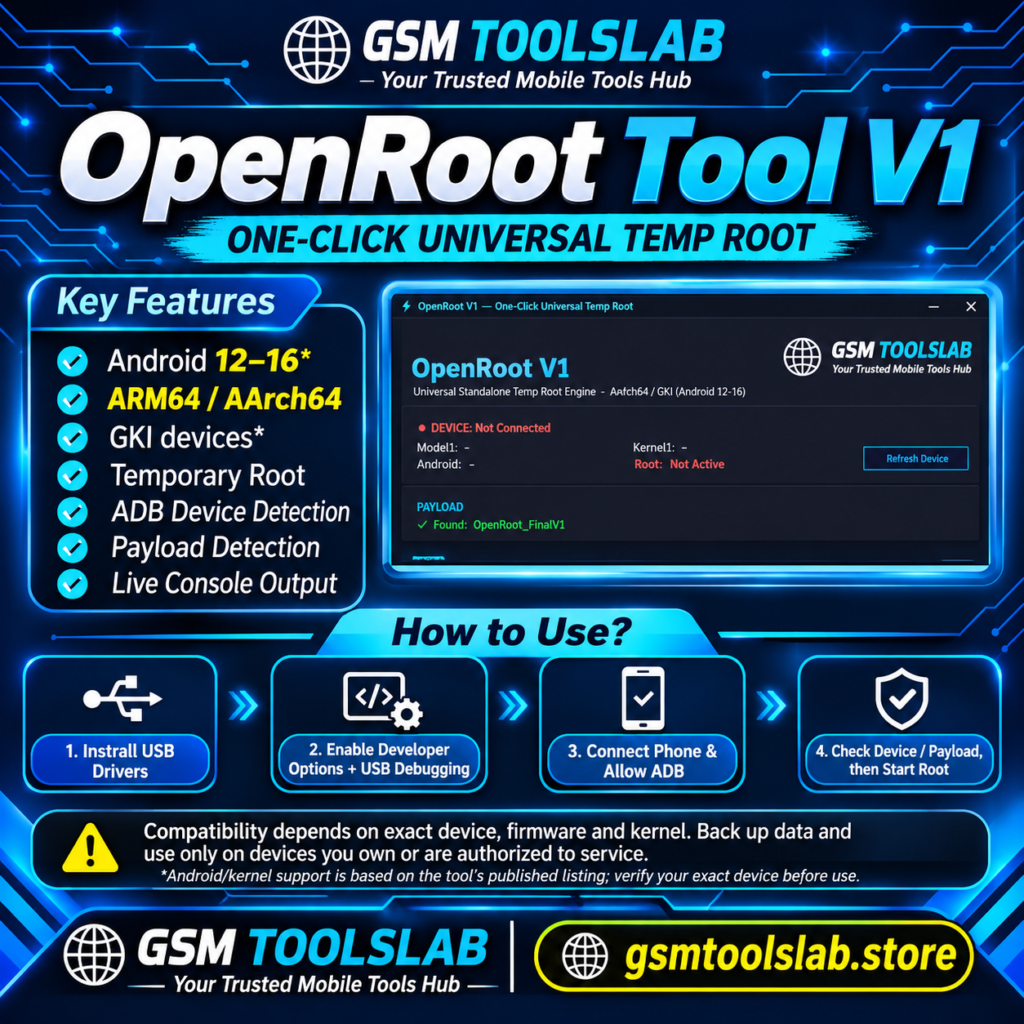
It works on many major Android brands, including:
- Vivo
- Oppo
- Realme
- Xiaomi
- Tecno
- Samsung
Since the tool targets standard GKI kernels rather than one specific brand’s hardware, it can often work on other brands running the same kernel families, though official testing covers the list above.
Supported Android Versions and Kernels
| Android Version | Supported |
|---|---|
| Android 12 | Yes |
| Android 13 | Yes |
| Android 14 | Yes |
| Android 15 | Yes |
| Android 16 | Yes |
| GKI Kernel Family | Supported |
|---|---|
| 5.10.x | Yes |
| 5.15.x | Yes |
| 6.1.x | Yes |
| 6.6.x | Yes |
| 6.12.x | Yes |
| 6.18.x | Yes |
Embedded KernelSU KMI modules are included for specific kernel strings such as android13-5.10, android13-5.15, android14-5.15, android14-6.1, android15-6.6, and android16-6.12, along with precompiled adaptive LKM targets for versions like 5.10.245, 5.10.252-dirty, 5.15.202, 6.1.166-dirty, 6.6.127-4k, 6.12.76-4k, and 6.18.32-4k.
How to Use OpenRoot V1 – Step by Step
- On your phone, open Settings and tap the Build Number seven times to unlock Developer Options.
- Turn on USB Debugging inside Developer Options.
- Connect your phone to your PC with a working USB cable.
- Run OpenRoot V1 on your PC as Administrator.
- Wait for the tool to detect your phone. A green connected status will appear once it does.
- Check that the payload file shows as found in the payload box.
- Click the blue START ROOT button and let the console finish its steps.
- Look for the green ROOT CONFIRMED message once the process ends.
- Open a new ADB shell and type
idto confirmuid=0, which means root access is active.
Remember that this root access is temporary. It disappears the moment you restart your phone, so you will need to repeat the process each time you need root again.
OpenRoot vs Magisk vs KernelSU App
- OpenRoot – gives temporary root with no bootloader unlock, resets after every reboot, works from a Windows PC.
- Magisk – gives permanent root through a patched boot image flashed via an unlocked bootloader, usually wipes data on unlock, and survives reboots until removed.
- KernelSU app (manual setup) – also offers kernel-level root, but typically still needs a compatible, often unlocked, boot environment to install the module permanently.
Conclusion
OpenRoot V1 is a free, open-source Windows tool that gives Android users temporary root access without unlocking the bootloader or losing their data. Built on KernelSU and its own runtime vermagic adaptation, it supports Android 12 through Android 16 across GKI kernel families 5.10.x to 6.18.x, and it works on popular brands such as Vivo, Oppo, Realme, Xiaomi, Tecno, and Samsung. Its one-click process, live console output, and honest success-or-fail reporting make it a simple option for anyone who wants root access for a short task without a permanent commitment.
FAQ’s
Does OpenRoot erase my phone data?
No. Since it does not unlock the bootloader or trigger a factory reset, your personal data, apps, and settings stay untouched.
Which Android versions does OpenRoot support?
It supports Android 12, 13, 14, 15, and 16, across GKI kernel families 5.10.x, 5.15.x, 6.1.x, 6.6.x, 6.12.x, and 6.18.x.
Is the root access from OpenRoot permanent?
No. The root access is temporary and is lost automatically after the phone restarts. You will need to run the tool again each time you want root.
Why is my phone not detected by OpenRoot?
Make sure USB Debugging is enabled in Developer Options, that your USB cable supports data transfer, and that adb.exe with its DLL files is in the same folder as the tool, or that Android Platform Tools are installed.
Is OpenRoot free to use?
Yes. It is completely free and open source, with no license key or payment required.
Difference between OpenRoot and Magisk?
Magisk gives permanent root through a patched boot image and usually needs an unlocked bootloader, which often wipes data. This tool gives temporary, kernel-level root through KernelSU without touching the bootloader, so it resets after every reboot but keeps your data safe.
One Comment